


Required Files:
Alternate Link of USB Drivers.
Firmware That can be download from here or any Other Web.
link 1
|
|
Installation:
Install Sam-sung drivers in your PC/Laptop,
Put your phone in Odin mode for going into Odin mode power off your phone and press |Power+Volume Down+Home Button Simaltanously, Then press volume up button|

Open Odin you will see screen like this

Then connect your phone with USB and you will see screen like this
load your Firmware in PDA Section and tick boxes that are Checked in Pic then click on start
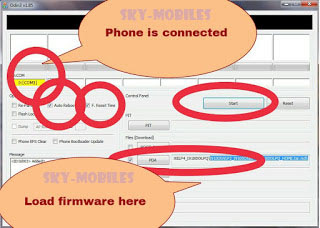
After Clicking on start your firmware is installing


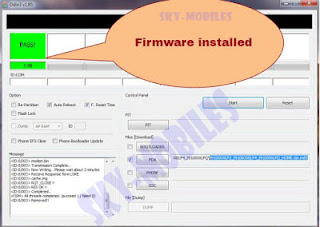
Your firmware is installed :)


Don't Forget To Say Thanks