Showing posts with label LG-Rom's. Show all posts
|Stock Rom| LG Optimus G Pro F240S,L,K 980,986,985,988 4.4 KitKat KDZ Format
| LG Optimus Stock Rom 4.4 KK KDZ|
F240S,L,K And Others Models
Stock KDZ Rom Flash-Able Trough LG Flash Tool On S/W Mode Trough Data Cable
|Download|
--------------------------------------------------------------------------------------------------
For Korea
F240S SKT/SK Telecom 4.4 KK Stock KDZ Rom |Download Here|
F240K KTF Korea 4.4 KK Stock KDZ Rom |Download Here|
----------------------------------------------------------------------------------------------------
Country lativa
E988 4.4KK Stock KDZ Rom |Download Here|
Country Lithuania
Country Malaysia
E988 4.4KK Stock KDZ Rom |Download Here|
Country Netherlands
E988 4.4KK Stock KDZ Rom |Download Here|
Country Norway
E988 4.4KK Stock KDZ Rom |Download here|
Country Philippine
E988 4.4KK Stock KDZ Rom |Download Here|
Country Poland
E988 4.4KK Stock KDZ Rom |Download Here|
Country Portugal
E988 4.4KK Stock KDZ Rom |Download Here|
Country Romania
E988 4.4KK Stock KDZ Rom |Download Here|
Country Serbia
E988 4.4KK Stock KDZ Rom |Download Here|
Country Singapore
E988 4.4KK Stock KDZ Rom |Download Here|
Country Spain
E988 4.4KK Stock KDZ Rom |Download Here|
Country Sweden
E988 4.4KK Stock KDZ Rom |Download Here|
Counrty Switwerland
E988 4.4KK Stock KDZ Rom |Download Here|
Country Taiwan
E988 4.4KK Stock KDZ Rom |Download Here|
Country Thailand
E988 4.4KK Stock KDZ Rom |Download Here|
Country UK
E988 4.4KK Stock KDZ Rom |Download Here|
----------------------------------------------------------------------------------------------------
USA AT&T
E980AT 4.4KK Stock KDZ Rom |Download Here|
---------------------------------------------------------------------------------------------------
Vietnam
E988 4.4KK Stock KDZ Rom |Dwonload Here|
---------------------------------------------------------------------------------------------------
For Others Country please Visit Link Below
Click Here
E988 4.4KK Stock KDZ Rom |Download Here|
Country Portugal
E988 4.4KK Stock KDZ Rom |Download Here|
Country Romania
E988 4.4KK Stock KDZ Rom |Download Here|
Country Serbia
E988 4.4KK Stock KDZ Rom |Download Here|
Country Singapore
E988 4.4KK Stock KDZ Rom |Download Here|
Country Spain
E988 4.4KK Stock KDZ Rom |Download Here|
Country Sweden
E988 4.4KK Stock KDZ Rom |Download Here|
Counrty Switwerland
E988 4.4KK Stock KDZ Rom |Download Here|
Country Taiwan
E988 4.4KK Stock KDZ Rom |Download Here|
Country Thailand
E988 4.4KK Stock KDZ Rom |Download Here|
Country UK
E988 4.4KK Stock KDZ Rom |Download Here|
----------------------------------------------------------------------------------------------------
USA AT&T
E980AT 4.4KK Stock KDZ Rom |Download Here|
---------------------------------------------------------------------------------------------------
Vietnam
E988 4.4KK Stock KDZ Rom |Dwonload Here|
---------------------------------------------------------------------------------------------------
For Others Country please Visit Link Below
Click Here
How To Flash Stock KDZ Rom
LAMHOANG G3 V2.1 Port For LG G2 All Variants D802 F320 & Docomo
LAMHOANG G3 V2.1 Rom Port For LG G2 All Variants Supported
F320S/L/K & D802 & L01F Docomo
|Rom Information|
➧Build On LG G3 LAMHOANG V2.1 For LG G2 All variants Supported
➧Full LG G3 UI & Apps
➧Remove Bloatware & Improve Battery Life
➧Fix Message Limit Via hangout
➧Ad Root Busy Box & Update Google Apps
➧Ad Manual Selection Of Network GSM Only WCDMA Only LTE Only GSM/WCDMA/LTE Auto
➧Fix Copy File To Sdcard Using Root Explorer
➧Ad Split Screen Like G-Pro 2 & Quick Network Switch icon
➧Added Network Speed In Notification panel
|Installation Guide|
➧ Download Rom And Copy in-to Phone Memory
➧ After Copied Rom Reboot Phone In-to Custom Recovery TWRP/CWM
➧ When Phone Rebooted in recovery Then Wipe These 3 Steps Cache/Dalvik/Data/System
➧ Now Go Back on main Page And Click On Install And Find Copied Rom And Flash it
➧ When Flashing Done then reboot Phone And Enjoy.๐
➧ First Start-up Always Slow After Flashing New Rom So Please Wait 5 Minute | Don't Worry |
|Downloads|
๐ Don't Forget To Say Thanks & Share Your Experience About Rom๐
Screen Shots:-
|Stock Base| Custom lollipop Rom For LG G2 All Variants D802 F320 G2 Docomo
Stock Base Custom Rom For LG G2 All Variants D802 F320S/L/K & G2 Docomo
VK-Lollipop 4.1
|Rom Information|
➧Build On Latest Stock Rom Of G2 D802
➧Remove Bloatware & Improve Battery Life
➧Fix Message Limit Via hangout
➧Ad Root Busy Box & Update Google Apps
➧Ad Manual Selection Of Network GSM Only WCDMA Only LTE Only GSM/WCDMA/LTE Auto
➧Fix Copy File To Sdcard Using Root Explorer
➧Ad Split Screen Like G-Pro 2 & Quick Network Switch icon
|Installation Guide|
➧ Download Rom And Copy in-to Phone Memory
➧ After Copied Rom Reboot Phone In-to Custom Recovery TWRP/CWM
➧ When Phone Successfully Rebooted in recovery Then Wipe These 3 Steps Cache/Dalvik/Data
➧ Now Go Back on main Page And Click On Install And Find Copied Rom And Flash it
➧ When Flashing Done then reboot Phone And Enjoy.๐
➧ First Start-up Always Slow After Flashing New Rom So Please Wait 5 Minute | Don't Worry |
|Downloads|
๐ Don't Forget To Say Thanks & Share Your Experience About Rom๐
|How To Download Above Rom|
Watch This Video
|LAMHOANG V3.1| LG G2 Custom Rom Lollipop For F320S/L/K |Stock Base|
|Stock Base| Custom Rom For LG G2 F320S/L/K Korean Variant
With Full OF LG G3 Interface
|Rom Information|
➧Build On Latest Stock Rom Of G2 V30
➧Remove Bloatware & Improve Battery Life
➧Fix Message Limit Via hangout
➧Ad Root Busy Box & Update Google Apps
➧Ad Manual Selection Of Network GSM Only WCDMA Only LTE Only GSM/WCDMA/LTE Auto
➧Fix Copy File To Sdcard Using Root Explorer
|Installation Guide|
➧ Download Rom And Copy in-to Phone Memory
➧ After Copied Rom Reboot Phone In-to Custom Recovery TWRP/CWM
➧ When Phone Successfully Rebooted in recovery Then Wipe These 3 Steps Cache/Dalvik/Data
➧ Now Go Back on main Page And Click On Install And Find Copied Rom And Flash it
➧ When Flashing Done then reboot Phone And Enjoy.๐
➧ First Start-up Always Slow After Flashing New Rom So Please Wait 5 Minute | Don't Worry |
|Downloads|
➧ Download Custom Lollipop Rom For LG G2 F320S/L/K |Download Here|
๐ Don't Forget To Say Thanks & Share Your Experience About Rom๐
LG G3 Stock Base Custom Rom Lamhoang V2.3 Android 5.0.1 Lollipop 99.9% Stable
Stock Base Custom Rom For LG G3 Below Variant's
D850. D855. F400S.L.K
|Rom Information|
FEATURES ROM
Rom was developed on the D855 5.0 Lollipop Stock v20P
Run international standards, system optimization.
Update google apps
Add the root busybox
MODE NETWORK
GSM / WCDEA / LTE / AUTO
GSM / WCDEA / AUTO
WCDEA / OMLY
GSM / OMLY
EQUIPMENT
Full weather effects, lock screen
11 effects unlock
• NETWORKS
GSM / WCDEA / LTE / AUTO
GSM / WCDEA / AUTO
WCDEA / OMLY
|Flashing Guide|
After Downloading Above Rom Copy In-to phone Memory And Then reboot Phone In-to recovery
Now Wipe ( Cache, Dalvik, Data,) And Then Flash The Rom.
Note:- For D850 Users
After Flashing Rom Don't Reboot System. Reboot System After Flash Stock Baseband
LG LTE 3 F260S Stock KDZ Rom 4.1.2 JB

LG LTE 3 F260S Stock Jellybean Rom KDZ Format

- Android Version 4.1.2 JB
- Firmware Version F260S10M
- File Size 1.5 GB
- Download Stock KDZ Rom For F260S |Download Here|
How To Flash LG Stock KDZ Rom Must Read Before Flashing\
LG LTE 3 F260S Sphinx Rom 100% Stable & Fix Korean


- Build On the latest V20f F260s
- ROM smoother and battery stability, strong waves
- Guest mode
- Plug & Pop
- zipalign
- Odexed
- Root & busybox
- Wipe Korean app
- Fix USSD Code
Password If Any
lgviet.com

- Download Sphinx Rom For F260S |Downlaod Here|
- Copy Rom In-to Phone Memory Then Reboot Phone In-to Custom Recovery
- Now Wipe These Steps. 1- Factory Reset 2- Wipe Cache 3- Wipe Dalvik From Advance
- Now Install Rom
- After Installing Complete Reboot The Phone
Screen Shots:-
How To Download Above Rom At High Speed
Must Watch this Video
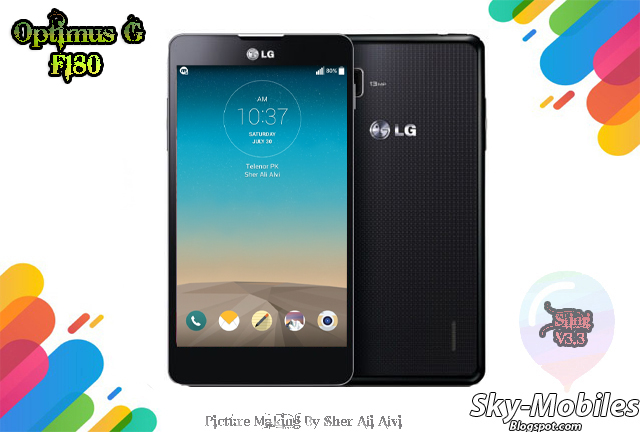
LG F180 S/L/K E975 Sling Rom V3.3 Full LG G3 Mode And Features | Stable 99% |

Sling V3.3 4.4 Kit-Kat Rom For LG Optimus G F180 S|L|K & E975 & E975T
Full LG G3 Mode With G3 Features
Stability 99%
- Build On latest Stock Firmware Of F180L
- Supported OTA Update
- Ported Apps Of LG F470
- Multi Languages Included
- Content Lock Feature
- T-Action Added
- Aroma Installer
- Add Network Speed On Status Bar
- Add Notification LED Color Option
- Added LG Cleaning App In setting
- Adjust Screen Brightness Trough Swip On Status Bar
- WCDMA. GSM Only. EVDO. LTE Option Added In Setting
- Multi Tasking Rom . Screen Split Option Added.
- And Others Many G3 Apps...
- FIX USSD Code, FIX SMS Limitation,

- Download Sling V3.2 Rom For F180 & E975 |Dwonload Here|
After Installing Go-to Setting About Phone. Sling Update And Receive 122 MB V3.3 Update

- After Download Sling Rom Copy In-to Phone Memory
- Now Reboot Your Phone In-to Custom CWM Recovery
- Now Wipe These 3 Steps:- 1- Wipe Factory Reset 2- Wipe Cache 3- Wipe Dalvik From Advance Option.
- Now Back On Main page And Click In Install Zip > Install Zip From Sdcard > Find The Sling Rom And Flash it.
- For More Guide Watch This HD Video Tutorial Of Sling Rom Installation..
Full HD Review OF Sling V3.3 | LG F180 |
|Lollipop| Flyme OS For LG G2 D800 With Easy Installation Guide
Flyme OS Android 5.0.1 For G2 D800
V4.5.4.2R-20151208

- Download Flyme For G2 D800 |Download Here|
- Download Gapps Flyme 4.5 |Download Here|
- Download BootStack D800 LP 30F |Download Here|

Download All Above file The Follow These Steps
- Copy All Above File In-to Phone Memory Then Reboot Phone In-to TWRP Recovery
- Now Click On Wipe And Then Click On Advance Wipe And Then Select These Option
1- Dalvik Cache 2- System 3- Data 4- Cache
3. Now Swip To Wipe
4. Now Back On Main Page And Click On Install And Find BootStack And Install it
5. After Flashing BootStack Then Flash Flyme OS Rom And Then Reboot The Phone.
6. After First Boot Then Again Reboot Phone In-to recovery And This Time Flash Gapps
7. After Flashing Gapps Reboot Phone And Enjoy.. :)
Screen Shots:-
LG GX F310L Stock Rom Kit-kat KDZ
Stock Kit-Kat Rom For LG-GX F310L
Flash-Able Trough LG Flash Tool
KDZ Format
- Download Stock Kit-Kat Rom For GX F310L |Download Here|
If You Don't Know How To Flash Stock KDZ Rom So Click On Link Below.
LG GK F220K Stock Lollipop Rom KDZ
Stock Lollipop Rom For LG Optimus GK F220K
Flash-Able Trough LG Flash-Tool
KDZ Format
- Download Stock Lollipop Rom For F220K |Download Here|
How To Flash Stock KDZ Rom
LG G3 Stock KDZ Marshmallow 6.0 Rom G3 F400 & F460S | L | K
Stock Marshmallow Rom For LG G3 F400 & F460S | L | K
Flash-Able Trough LG Flash-Tool
KDZ Format
- Download Stock Marshmallow For G3 F400S |Download Here|
- Download Stock Marshmallow For G3 F400L |Download Here|
- Download Stock Marshmallow For G3 F400K |Download Here|
- Download Stock Marshmallow For G3 F460L |Download Here|
- Download Stock Marshmallow For G3 F460K |Download Here|
How To Flash LG Stock KDZ Rom Via LG Flash-Tool
LG G2 F320S | L | K Stock Lollipop Rom KDZ
Stock Lollipop Rom's For G2 F320S|L|K
- This Rom Flash-Able Trough LG-Flash Tool Because It's In KDZ Format
- latest Lollipop Version's
- Download Stock Lollipop Rom For F320S |Download Here|
- Download Stock Lollipop Rom For F320L |Download Here|
- Download Stock Lollipop Rom For F320K |Download Here|
How To Flash Above Rom Via LG Flash Tool
|Stock Base| Sling Custom Rom For LG Optimus G F180S|L|K Fix Korean, SMS, USSD

Sling Gopen Stock Base Custom Rom For LG F180S | K | L
V2.2 Android 4.4 KIt-Kat

- Fix Messages
- Fix USSD Code Issue *444# | *2*2*2# |
- Remove Korean Apps
- Remove Korean Dialer
- Remove Korean Keyboard
- Added Some New Features |Knock Code| Guest Mode | Battery Icon | Status Bar | Screen Shot|
- Fix 3G And 4G LTE manual Enabling Added In Mobile Network Option
- Many More Must Try It,

- Download Sling V2.2 For LG F180S | L | K |Download Here| Or |Download Here|
| Download Patch |
- Download Sling Rom Patch For LG F180K |Download Here|
- Download Sling Rom Patch For LG F180S |Download Here|
- Download Sling Rom Patch For LG F180L |Download Here|
- Download Rom And Patch Both Files Then Copy Both Files In-to Phone Memory,
- Now Reboot Your Phone In-to Custom Recovery CWM | TWRP
- Now 4 Wipe 1- Factory Data Reset 2- Wipe Cache 3- Wipe Dalvik From Advance 4- Format System From Mount And Storage.
- Now Go-Back On Main Page. And Click On Install Zip-> Install Zip From Sd ->Again Click On 0 Mean Sd Card Find The Rom .Zip And Flash it
- After Flashing Rom Flash Patch this Time Not Wipe Just Flash it And Reboot System Mean Phone
| Screen Shot's Guide |
| Rom Screen Shot's |
Note:
If Your Phone Is Not Rooted And Not have Installed Custom Recovery Then Root And Installed Custom Recovery Click On Link Below For Root And Recovery With Guide.
|Stock Base Custom Rom| LG F180S/L/K VDT-V25 Super Lite Rom 100% Stable Fix All Korean |4.4KK|

- Created from the latest Stock Rom of L.
- Camera improvements.
- LG G3 messaging flat, glossy new conversation.
- Split view full LG G Pro 2 app . (Now do not click on the click vibration 1 so touching the screen is used. Or the touching blink 1 always on).
- LG Slide aside (Swipe three fingers).
- Vietnamese typing Telex update LG G3.
- Sounds obvious default.
- Contacts add new features LG G3.
- App 3G / 4G .
- 13 effects LG G3 screen lock.
- Knock Code .
- GApps update.
- Theme LG G3.
- Toggle 2G / 3G on Statubar.
- Messaging LG G3 update.
- Music, recording, file manager, calculator, clock For All LG G3.
- Note LG G3 update.
- Transfer systems from SKT-> Open , KR -> ESA.
- Call recording.
- Remove welding app.
- Delete keyboard welding .
- Odex full System (app, priv-app, framerwork).

- Download VDT-V25 Rom For LG Optimus G F180S/L/K |Download Here|
- Download Above Given Rom Rar File.
- After Downloading Extract It Password Required For Extracting Pass Is: SCCN.VN
- After Extracting You Got These File. 1- VDT-V25 ROM.Zip And S/L/K Patch
- Now Copy Zip Rom in-to Phone Memory From Extracted Folder. With Right Patch
- After Completing Copy Go-to Custom Recovery And Flash It,
- Don't Forget To 3 Wipe Befor Flashing 1- Factory Reset 2- Cache 3- Dalvik From Advance
- After Installing The Rom Don't Reboot Phone Now Install Patch Then Reboot And Enjoy
Screen Shots:
Subscribe to:
Posts (Atom)